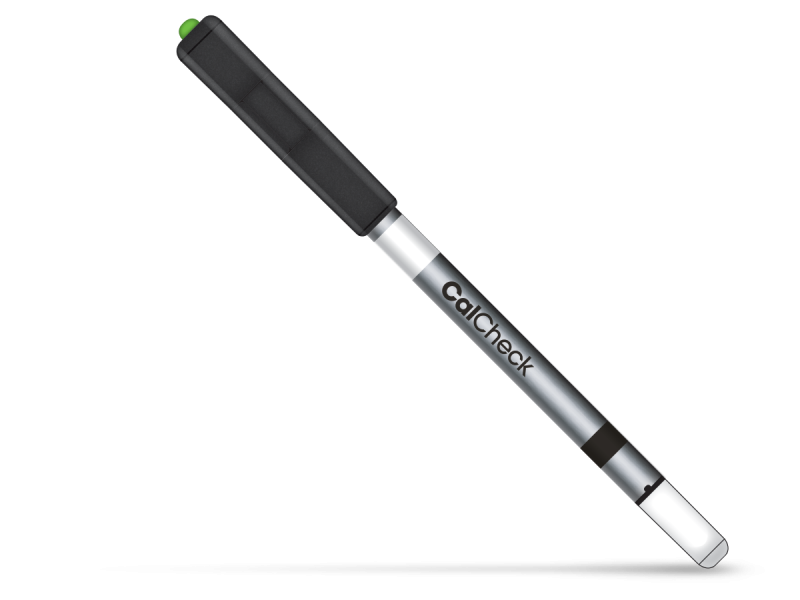
CalCheck LED Calibration Verification Device
Overview
CalCheck is a reusable LED calibration verification device that validates your Hygiena luminometer optical performance in under 60 seconds. Designed for healthcare professionals and quality control teams, this all-in-one quality control tool provides both positive LED emission and negative background checks to verify calibration accuracy. CalCheck works with EnSURE® Touch, EnSURE®, and SystemSURE Plus instruments, with results automatically syncing to SureTrend® Cloud for audit-ready documentation. The stainless steel design features a user-replaceable CR1025 lithium battery for cost-effective, long-term calibration verification and reliable QC programs.
Track Calibration History to Support Audits: In-house calibration checks confirm the Hygiena luminometer is working properly and demonstrate due diligence that a monitoring system is in control. CalCheck verifies your instrument’s calibration in-house as part of a quality control program and eliminates the need for manufacturer calibration checks, saving you hundreds of dollars each year.
Powered by a Standard Battery: The CalCheck LED will turn red when the battery needs to be replaced. Simply replace the standard coin-size CR1025 lithium battery and you are good to go. No hassle… no fuss.
Confirm Calibration in Seconds: CalCheck is a reusable positive and negative calibration verification device. In two simple steps, you can verify both negative and positive values to verify your Hygiena luminometer is in calibration.
Confirms Calibration. Saves you time by allowing you to quickly get back to testing samples
Records Calibration Results. Allows you to be audit-ready with a history of recorded calibration results
Uses Standard Batteries. No need for complex batteries, saving money and time
Compatible with Hygiena Devices. Provides a single calibration solution for all Hygiena luminometers, increasing efficiencies and saving money
Specifications
| Application | Accessories |
| Item Number | ASY0441 |
Documents
Package contents
Related products
Features
- Certified part numbers. The Hygiena product number and the ERP item number are on every page, so the item you reorder is the one you validated.
- Documents on the record. Safety data sheets per region, instructions for use, product sheets and certificates are attached to the product itself, under Documents.
- Account pricing. Sign in to see your contract price and quantity breaks.
- Stock you can act on. Availability shows before you order, not after.
- Reorder from your account. Past orders and favorites in the customer center turn a reorder into two clicks.
Frequently asked questions
Where do I find the SDS or a COA / COC?
Under Documents on this page: the safety data sheet for your region, the instructions for use and the product certificates. For a lot-specific certificate of analysis or conformance, contact support with the lot number.
Which swab works with my luminometer?
UltraSnap and SuperSnap surface ATP tests, and the AquaSnap water tests, are read by the EnSURE Touch monitoring system. Check the compatible instrument in the specifications.
Why do I need to sign in to see a price?
Prices are account prices. Signing in applies the contract held against your account before a price is shown.
How are documents kept current?
Hygiena maintains the product data and documents at the source. When an SDS, an IFU or a certificate is revised, the product page carries the new version.